The live demo runs on permissioned, anonymized real ad-account data from operator partners — explore everything, no setup.

One loop: catch the mistake, fix it, prove it.

Claresto watches every client’s ad accounts and tells you when money is leaking — before the client or the invoice does.Claresto watches your ad accounts and tells you when money is leaking — before the invoice does. Here is every screen, in the order you’d use it.

Step 1 · Catch

Catch: know the moment money starts leaking.

Claresto watches every client’s Claresto watches your Google, Meta, Amazon, TikTok, LinkedIn and Microsoft accounts around the clock and flags the mistakes that waste money.

Overview

Every client’s spend, pacing and open problems on one screen.Your spend, pacing and open problems on one screen.

Example: Monday morning: 4 clients, $160K a month in spend, and the three things that need attention today.Monday morning: this month’s spend against budget, and the three things that need attention today.
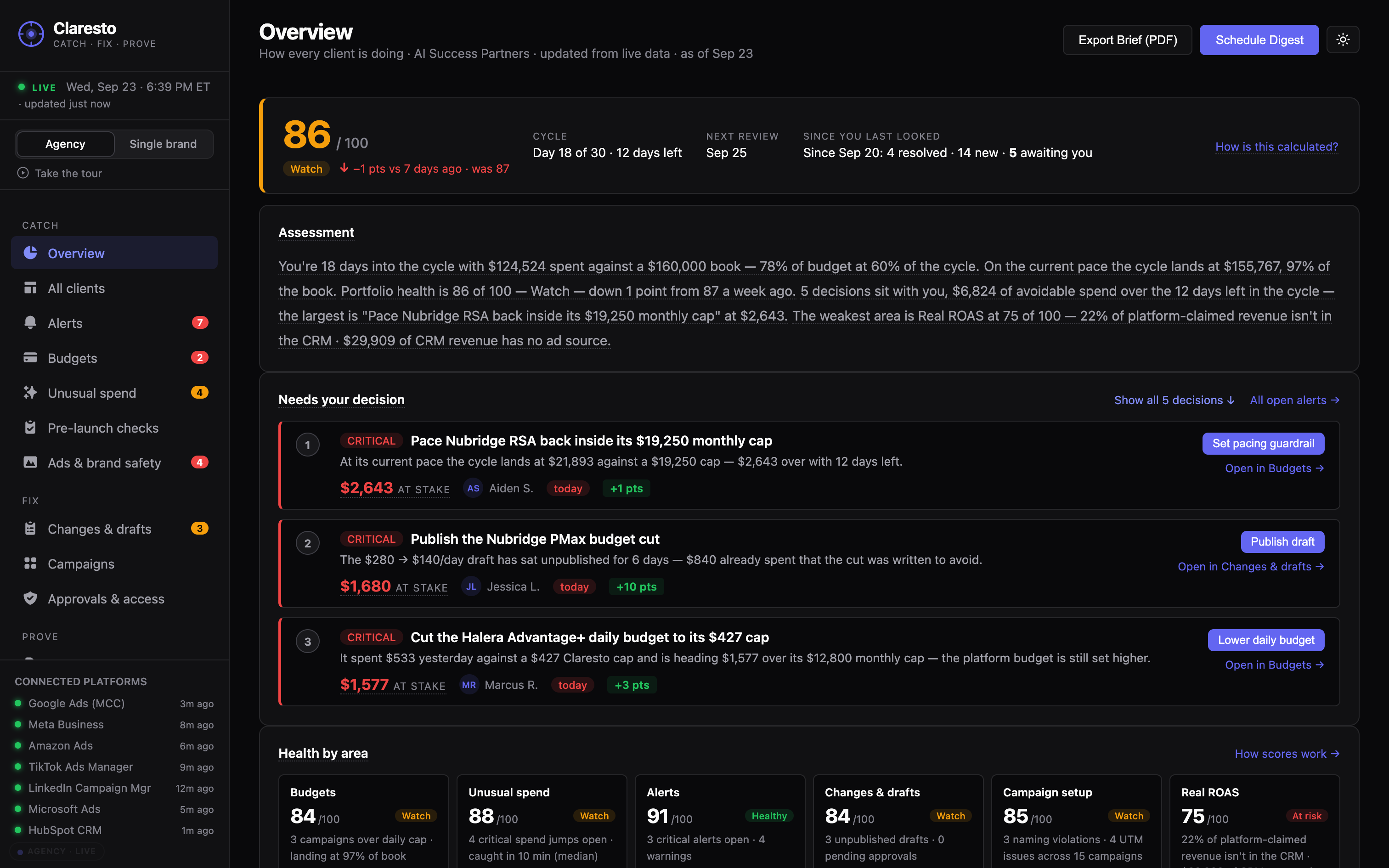
Overview
Claresto Overview — spend, pacing and open problems on one screen
All clients

Every client side by side: spend against budget, pacing, and who needs attention first.

Example: One client is pacing at 118% of its monthly budget. The other 13 are on track.
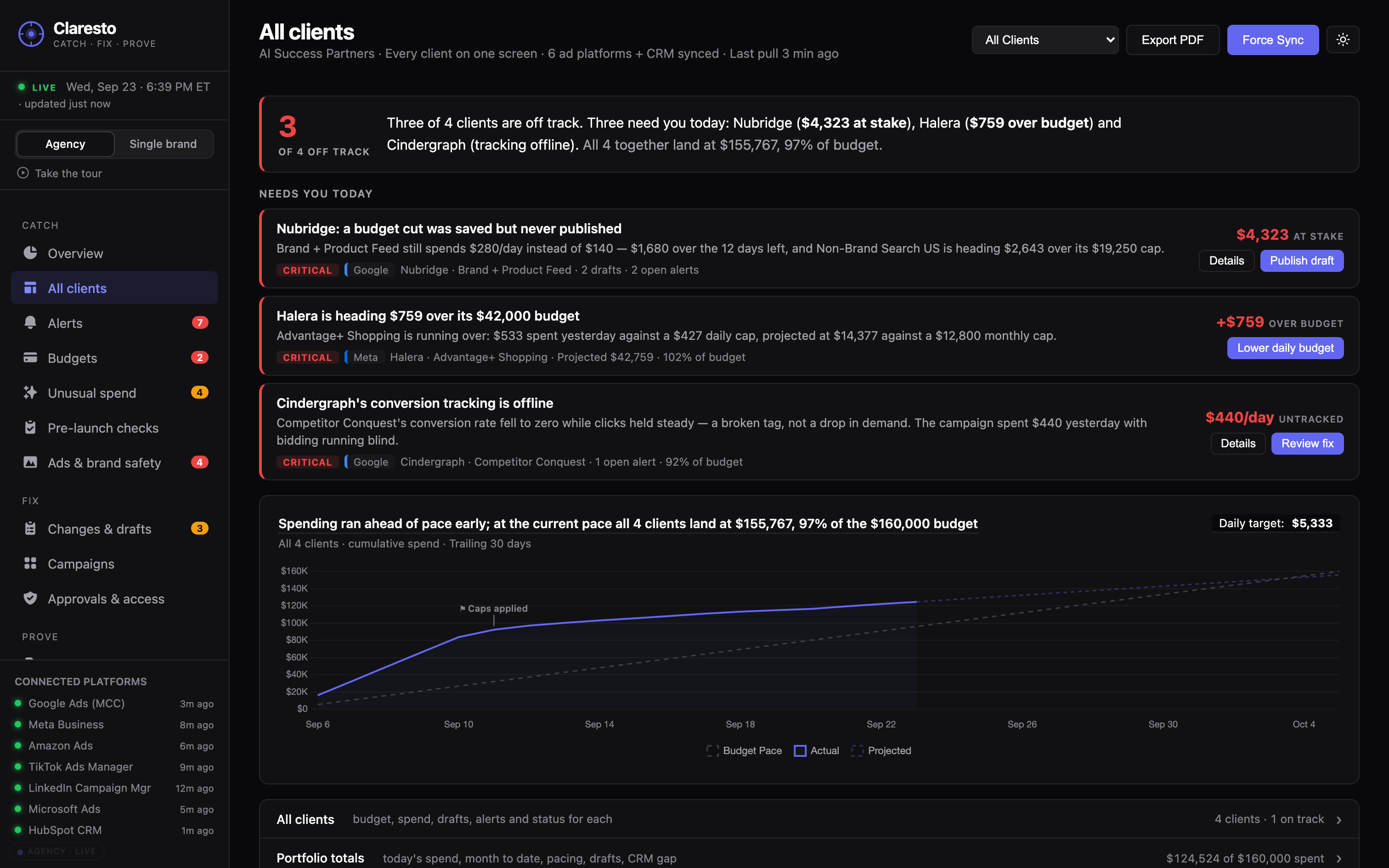
All clients
Claresto All clients — every client’s spend and pacing side by side
Single-brand view

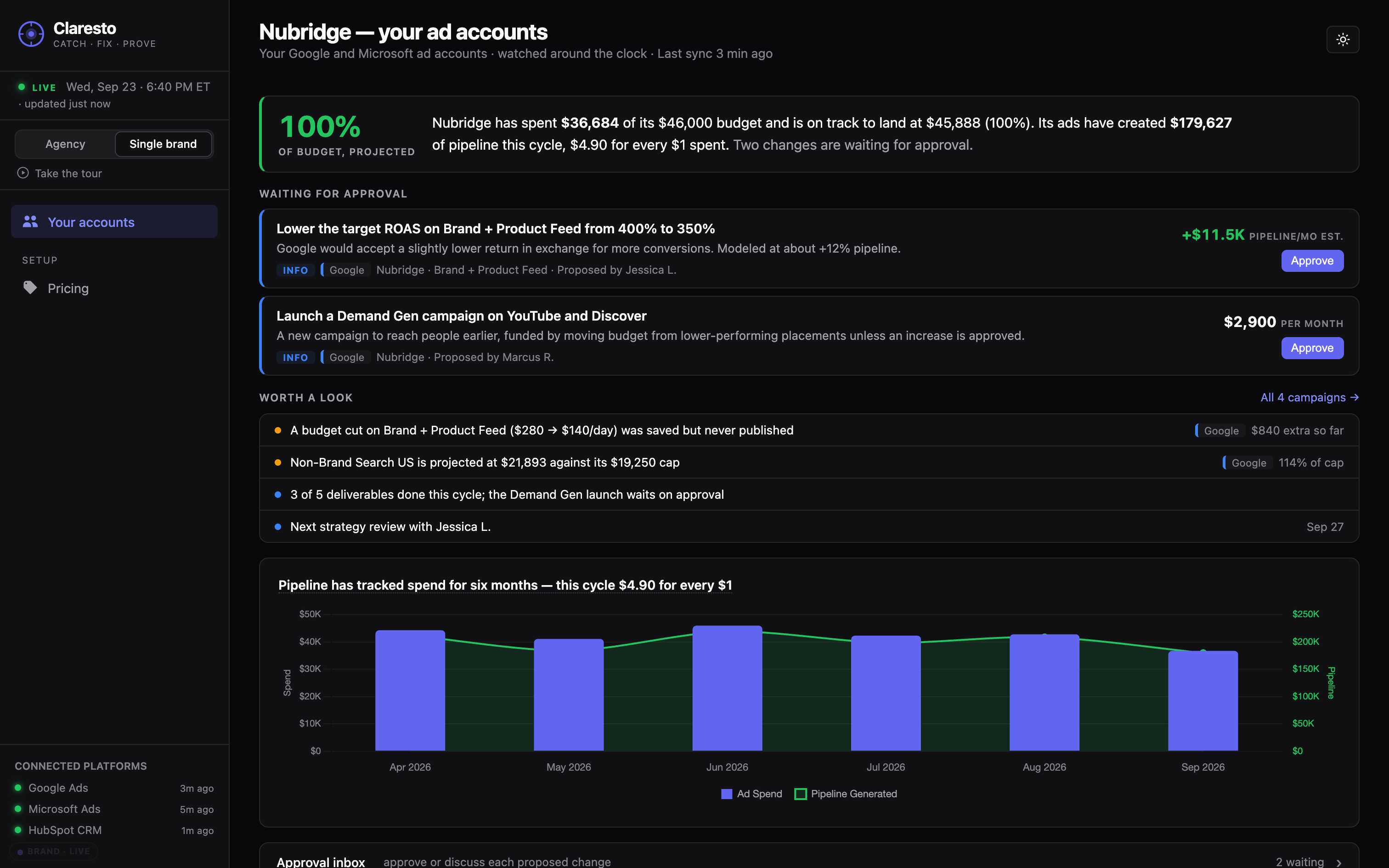
One brand’s accounts on one screen — without the multi-client extras.

Example: Google, Meta and TikTok spend for the month on one page, with open alerts underneath.
Single-brand view
Claresto single-brand view — one brand’s accounts on one screen
Alerts

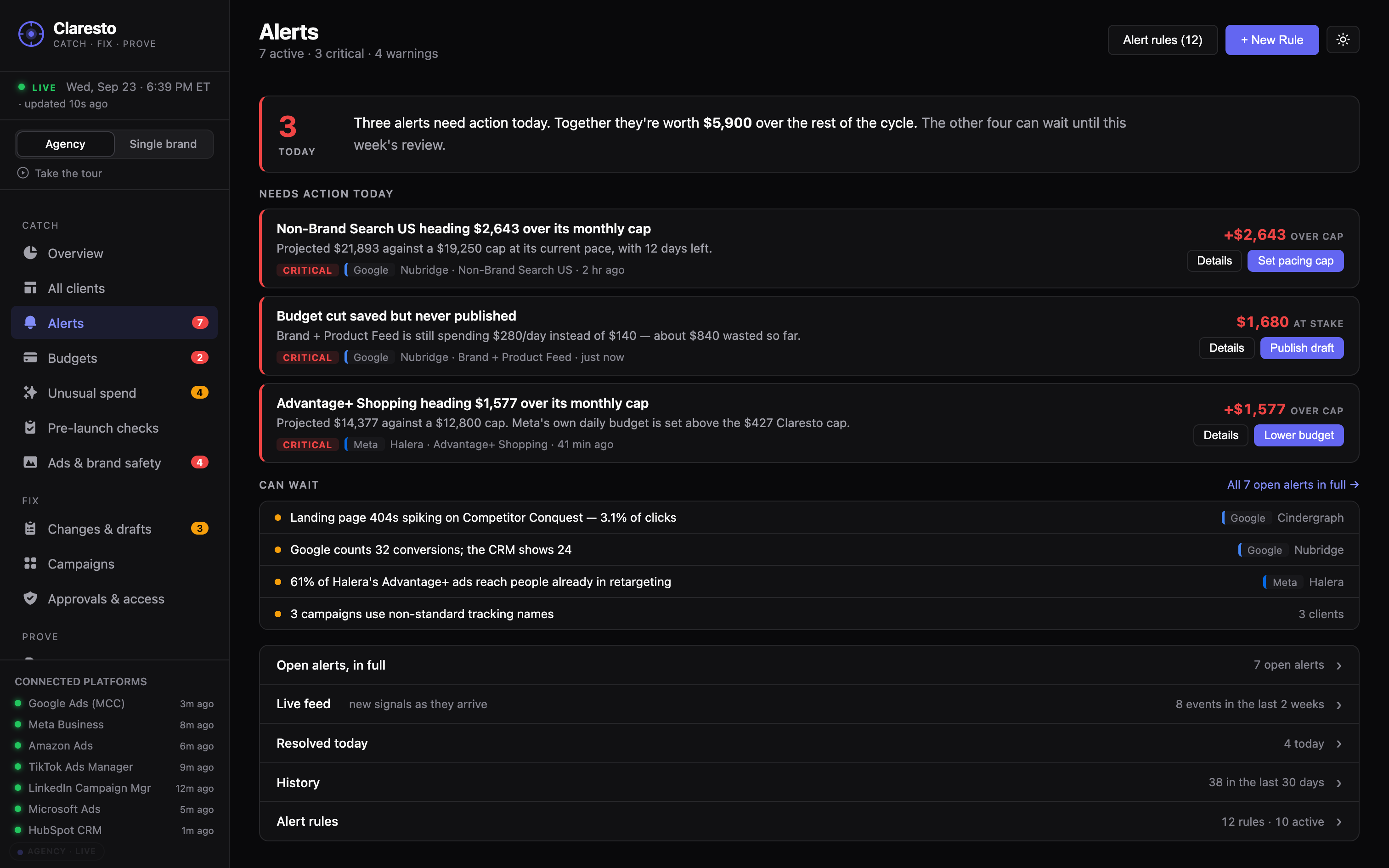
Every problem, ranked by how much money it’s costing, with the fix attached.

Example: Unpublished budget change on a Google campaign: $140 a day overspent. Fix ready for approval.
Alerts
Claresto Alerts — problems ranked by what they cost, each with a fix
Budgets

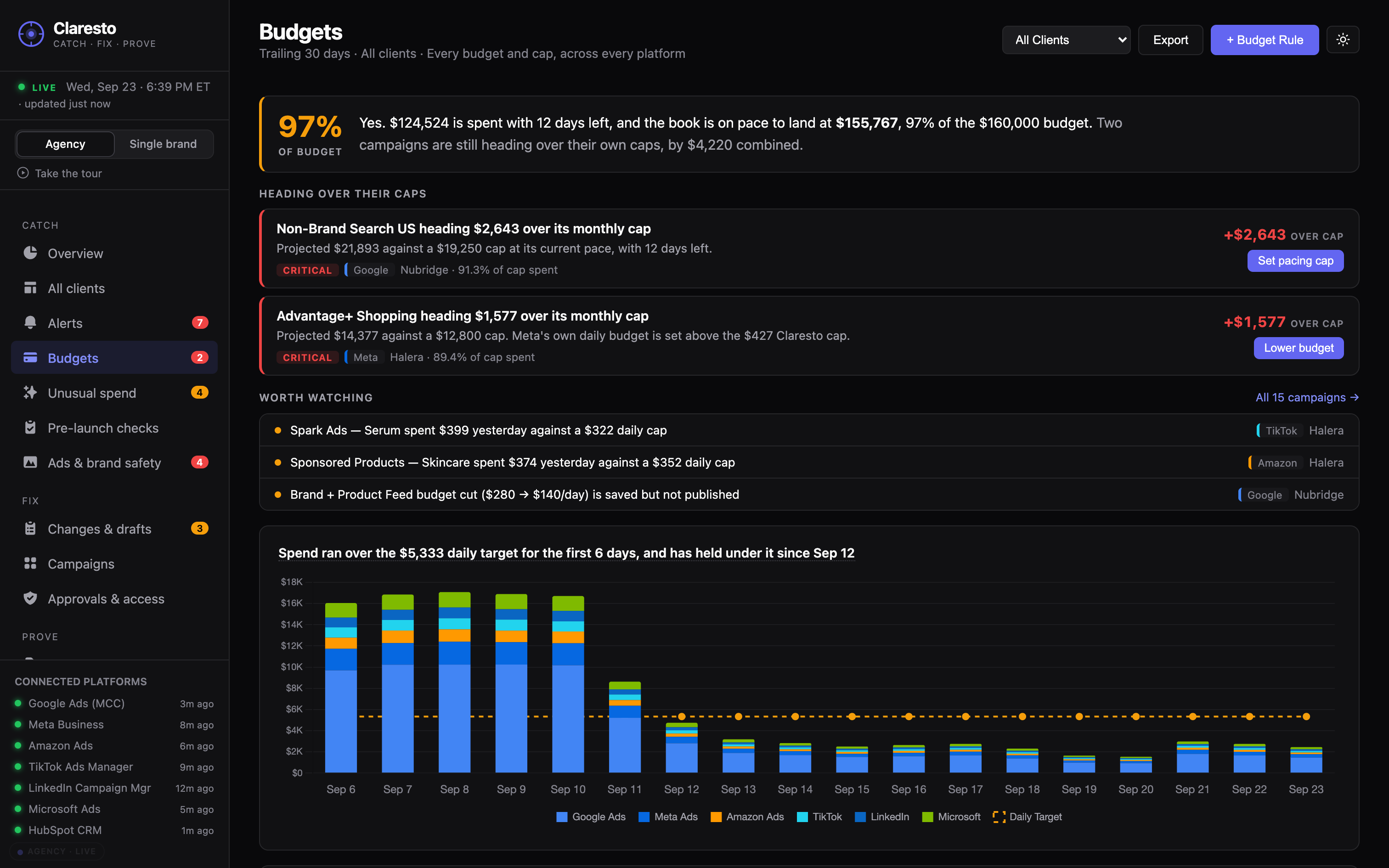
Each campaign’s spend against its cap, with a forecast for the end of the month.

Example: A Meta campaign capped at $2,500 this month is on track to finish at $2,950.
Budgets
Claresto Budgets — each campaign’s spend against its cap with a month-end forecast
Unusual spendAgency plan

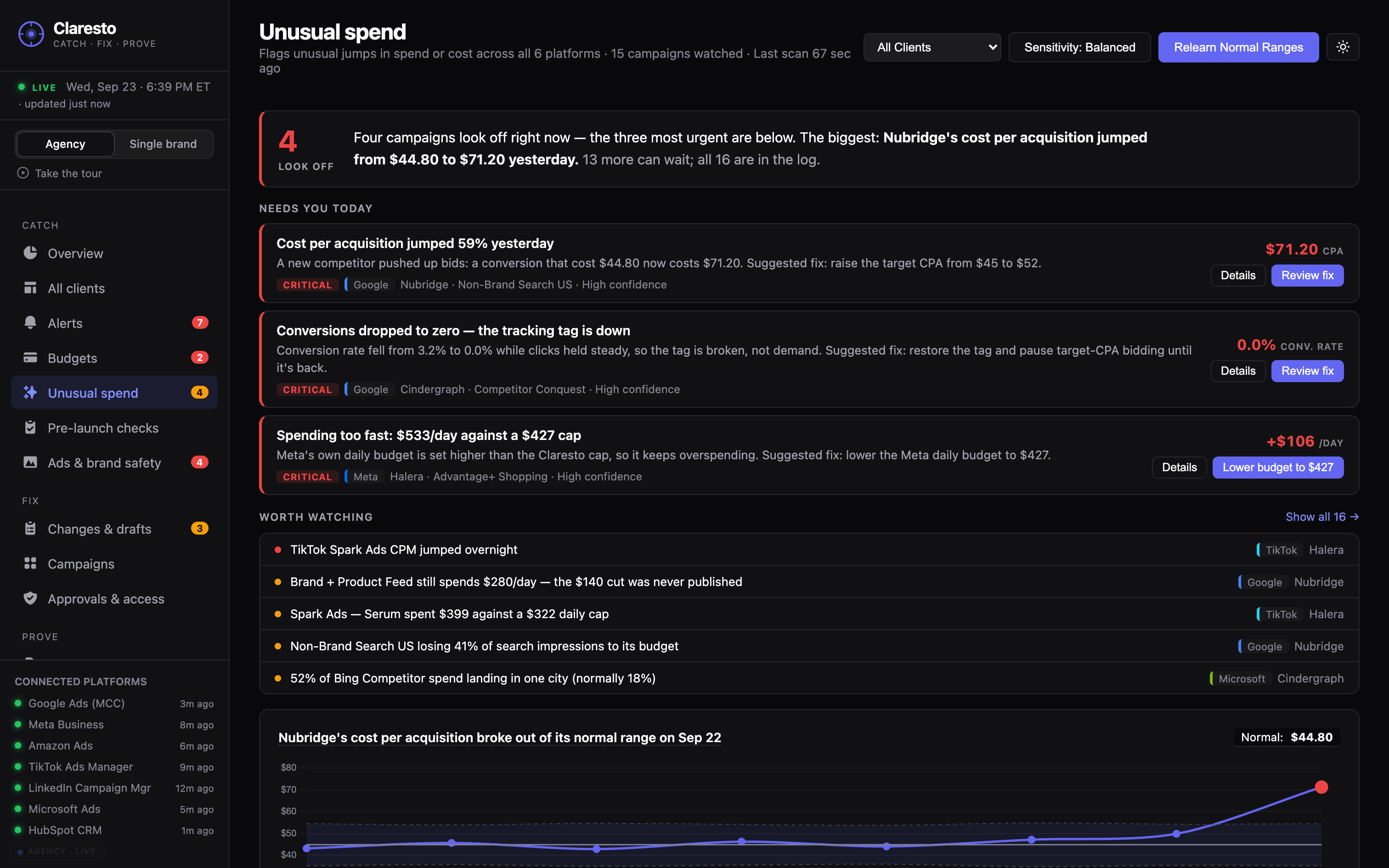
Flags unusual jumps in spend or cost, compared with each campaign’s own normal.

Example: Cost per lead on a LinkedIn campaign doubled overnight, from $64 to $131.
Unusual spend
Claresto Unusual spend — sudden jumps in spend or cost, flagged
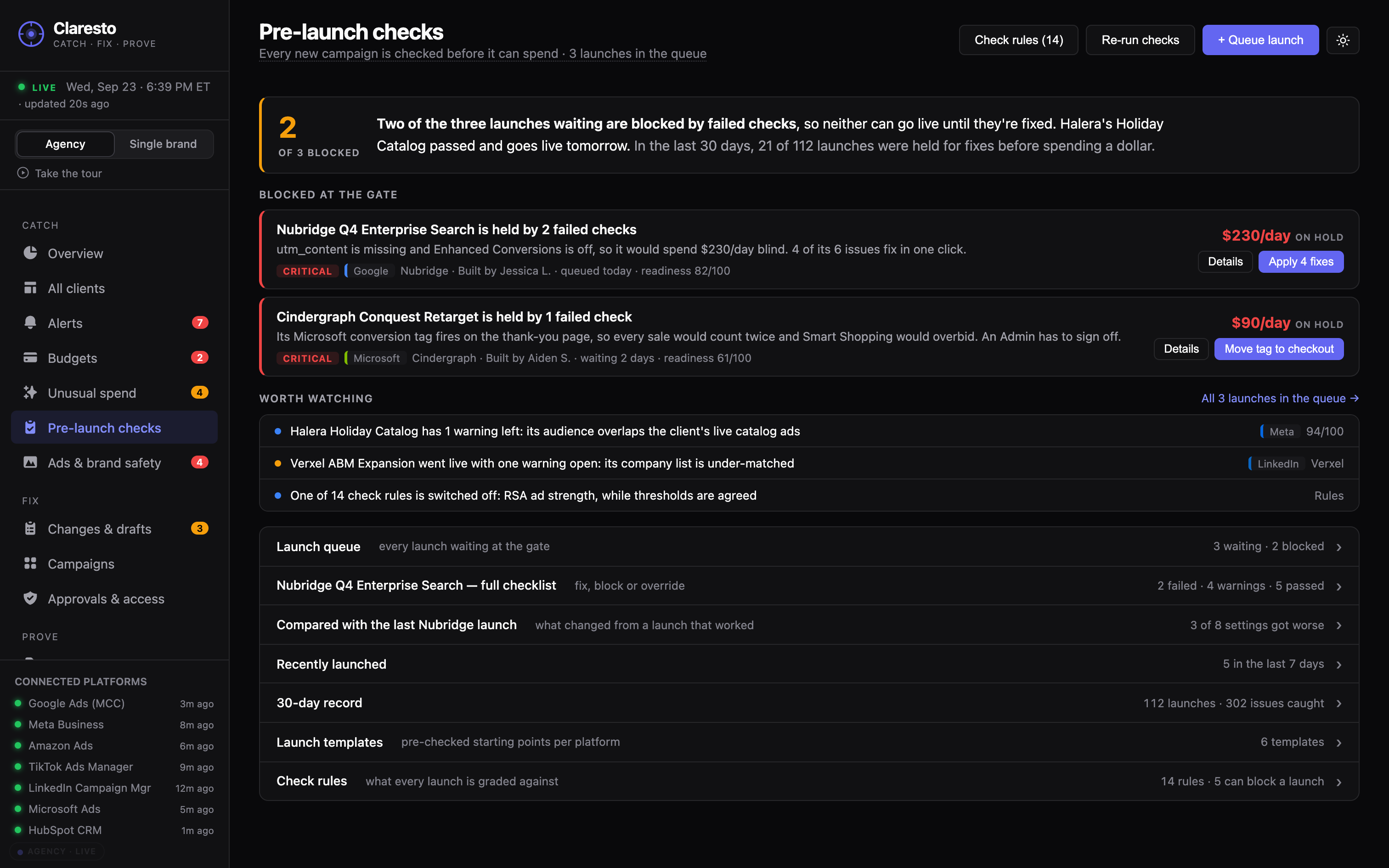
Pre-launch checksAgency plan

Checks a campaign before it goes live: tracking tags, links, naming and budget.

Example: A TikTok campaign set to launch Monday has no conversion tag — flagged before a dollar is spent.
Pre-launch checks
Claresto Pre-launch checks — a campaign checked before it goes live
Step 2 · Fix

Fix: one click, with your approval.

Every problem comes with the fix. Nothing changes in an ad account until someone on your team approves it, and every change is logged: who, what, when, before and after.

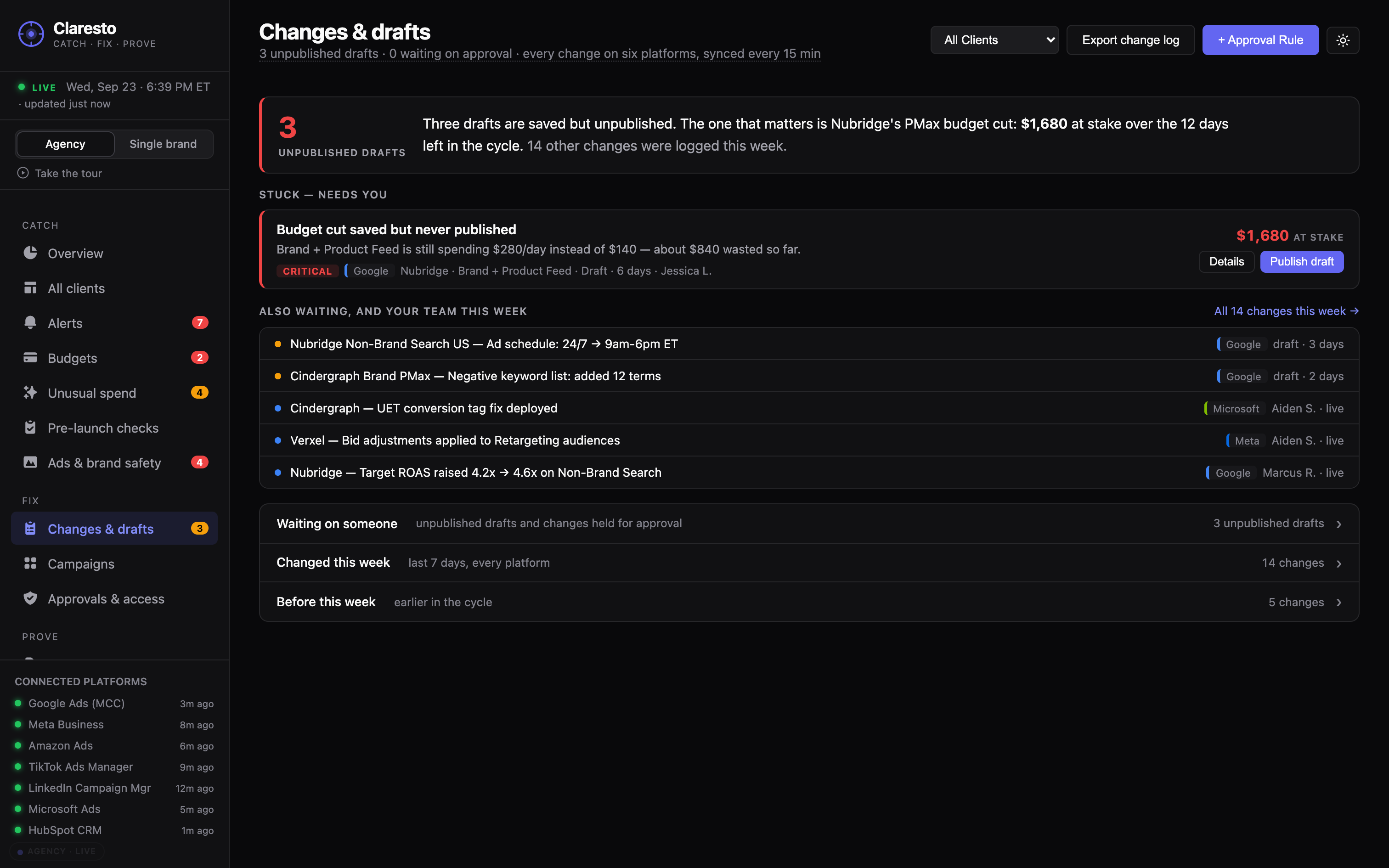
Changes & drafts

Every change on every platform — who, what, when, before and after — including changes saved as drafts but never published.

Example: Daily budget $280 → $140, saved four days ago, never published. The live campaign is still spending $280 a day.

Changes & drafts
Claresto Changes & drafts — every change with who, what, when, before and after
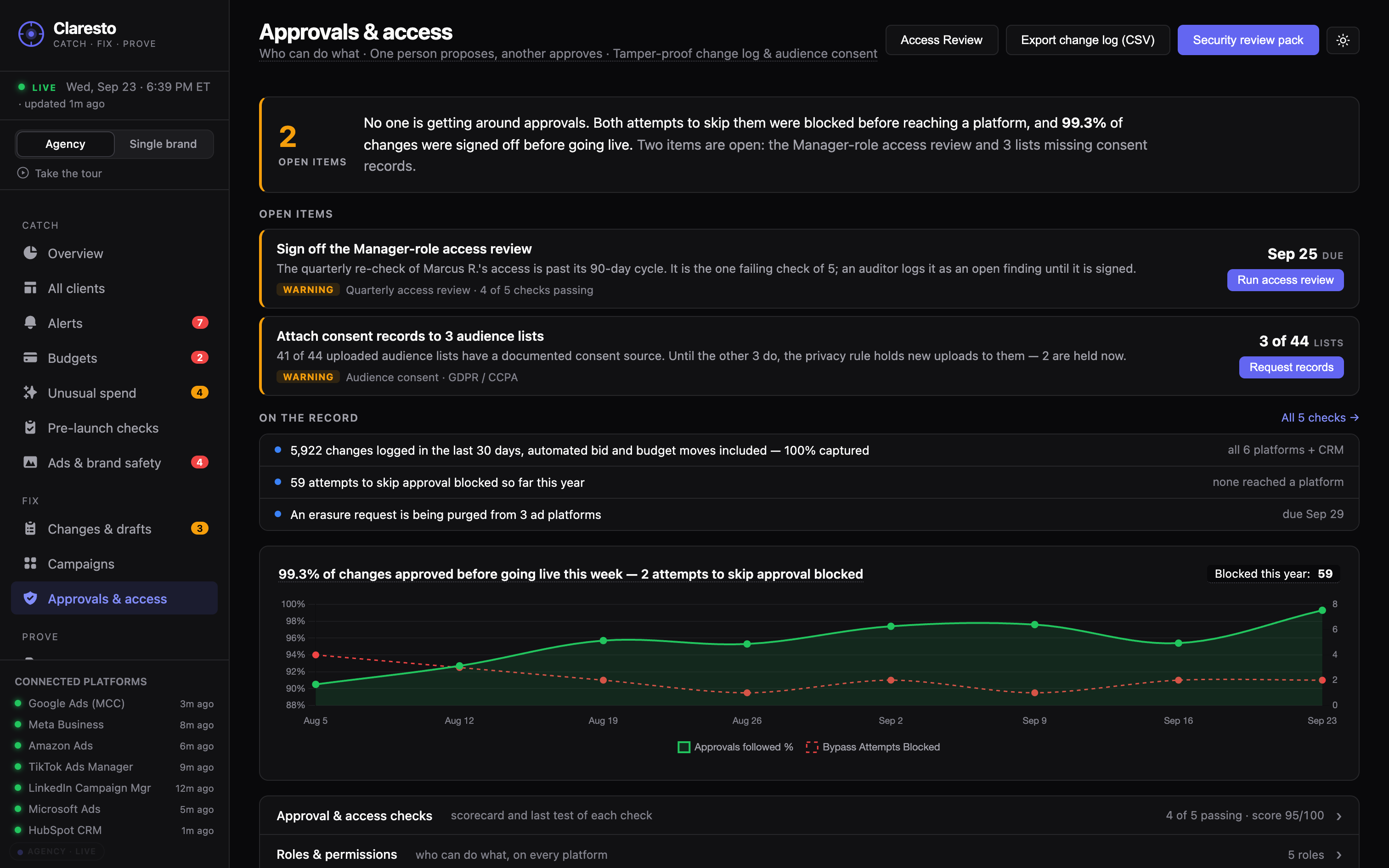
Approvals & access

One person proposes a fix, another approves it. Nothing goes live until they do.

Example: An analyst proposes a budget cut. It waits for the account lead to click Approve, then goes live and is logged.

Approvals & access
Claresto Approvals & access — who can propose and who can approve changes
Step 3 · Prove

Prove: show what was caught and what it saved.

Client-ready reports and a client view show what was caught, what it saved, and the real results checked against the client’s CRM.Show your boss and your finance team what was caught, what it saved, and how the campaigns really performed.

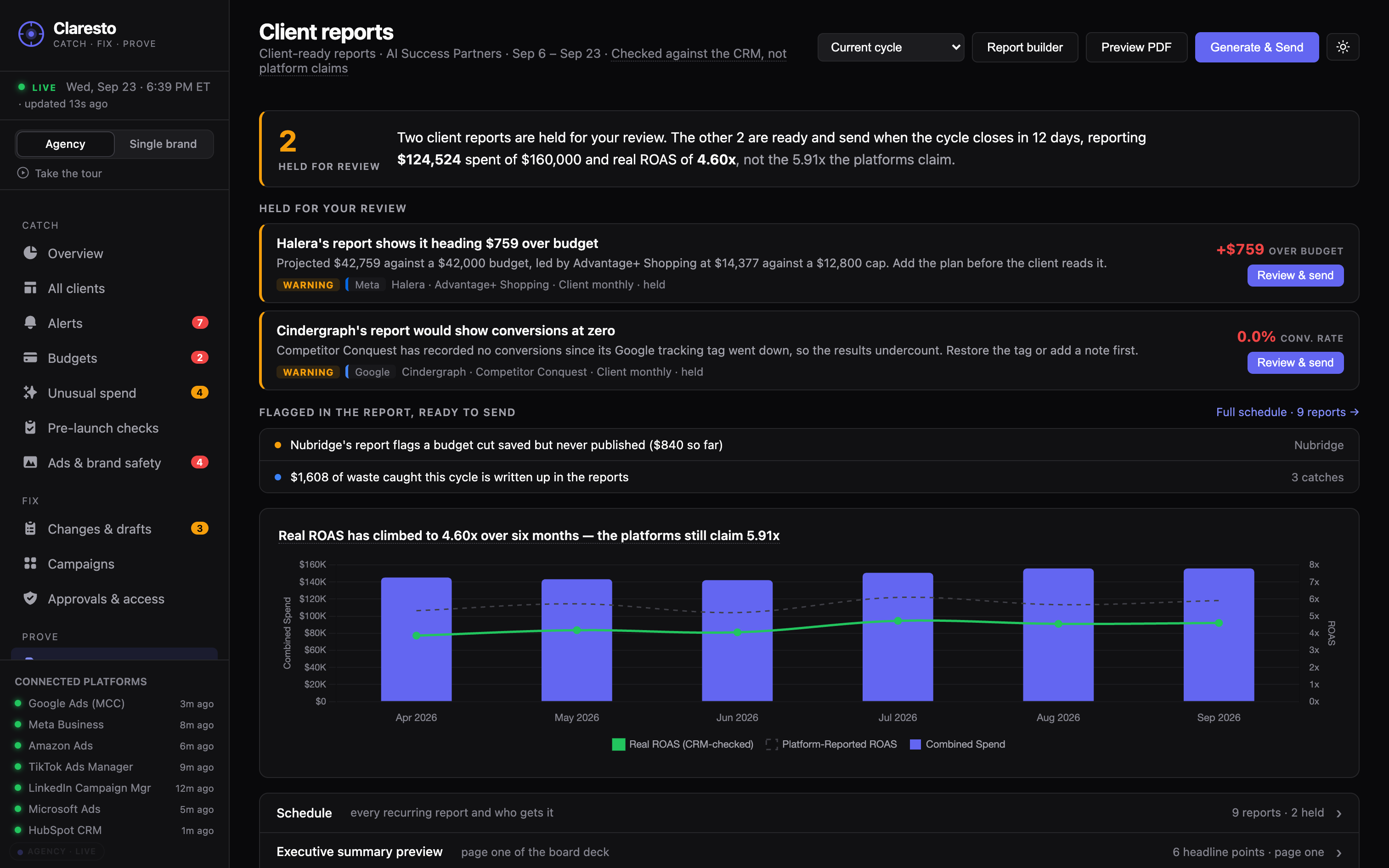
Client reportsReportsAgency plan

Client-ready reports: what was caught, what it saved, and how the campaigns really performed.Reports for your boss and finance team: what was caught, what it saved, and how the campaigns really performed.

Example: The monthly report for one client shows three problems caught, the spend they would have wasted, and ROAS checked against the CRM.The monthly report shows three problems caught, the spend they would have wasted, and ROAS checked against your CRM.

Client reports
Claresto Client reports — what was caught, what it saved, and real results
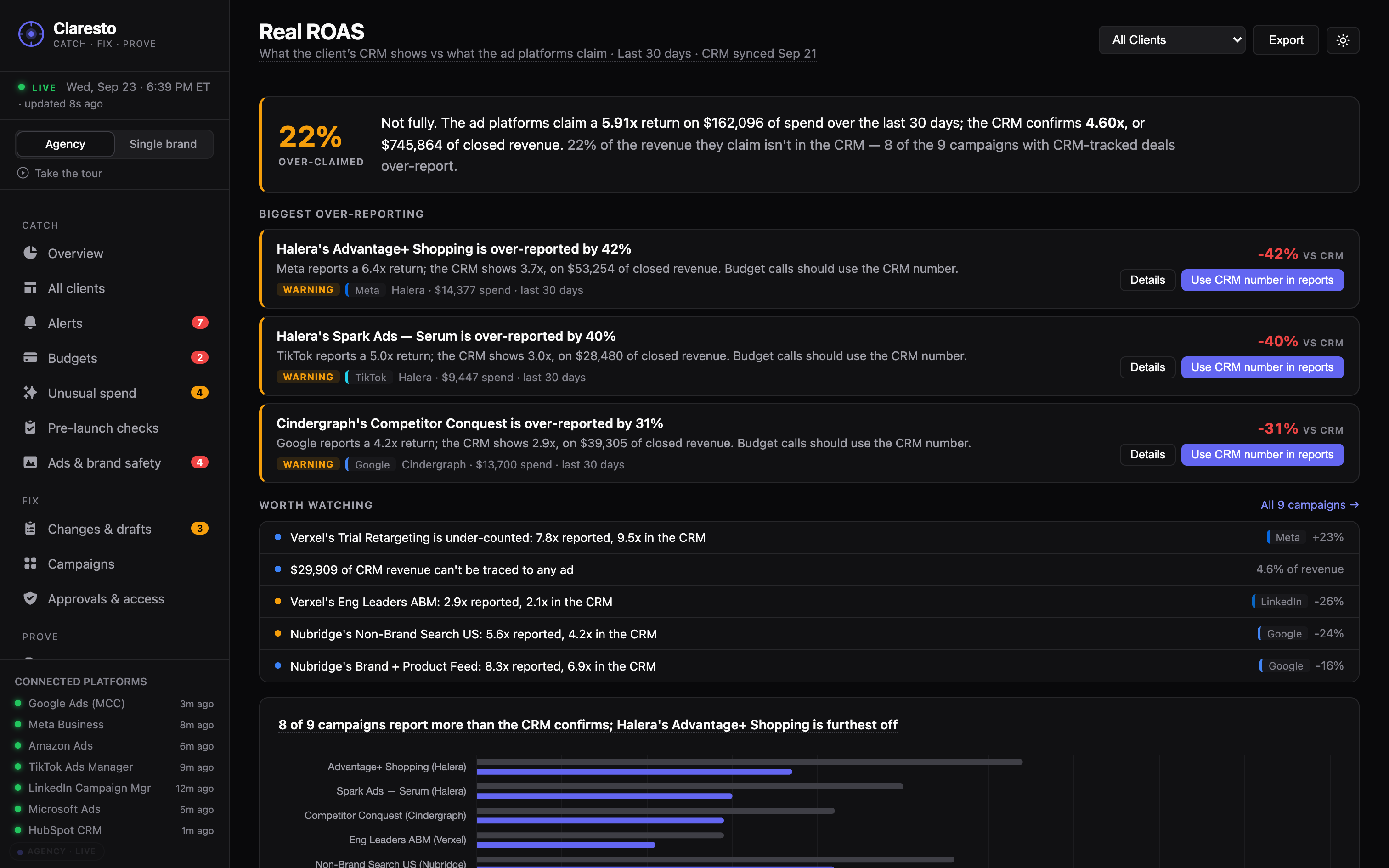
Real ROASAgency plan

The gap between what the ad platform claims and what the client’s CRM shows.The gap between what the ad platform claims and what your CRM shows.

Example: The platforms report 5.8× ROAS. The CRM shows 4.51× — 22% lower.

Real ROAS
Claresto Real ROAS — platform-reported ROAS next to CRM-checked ROAS
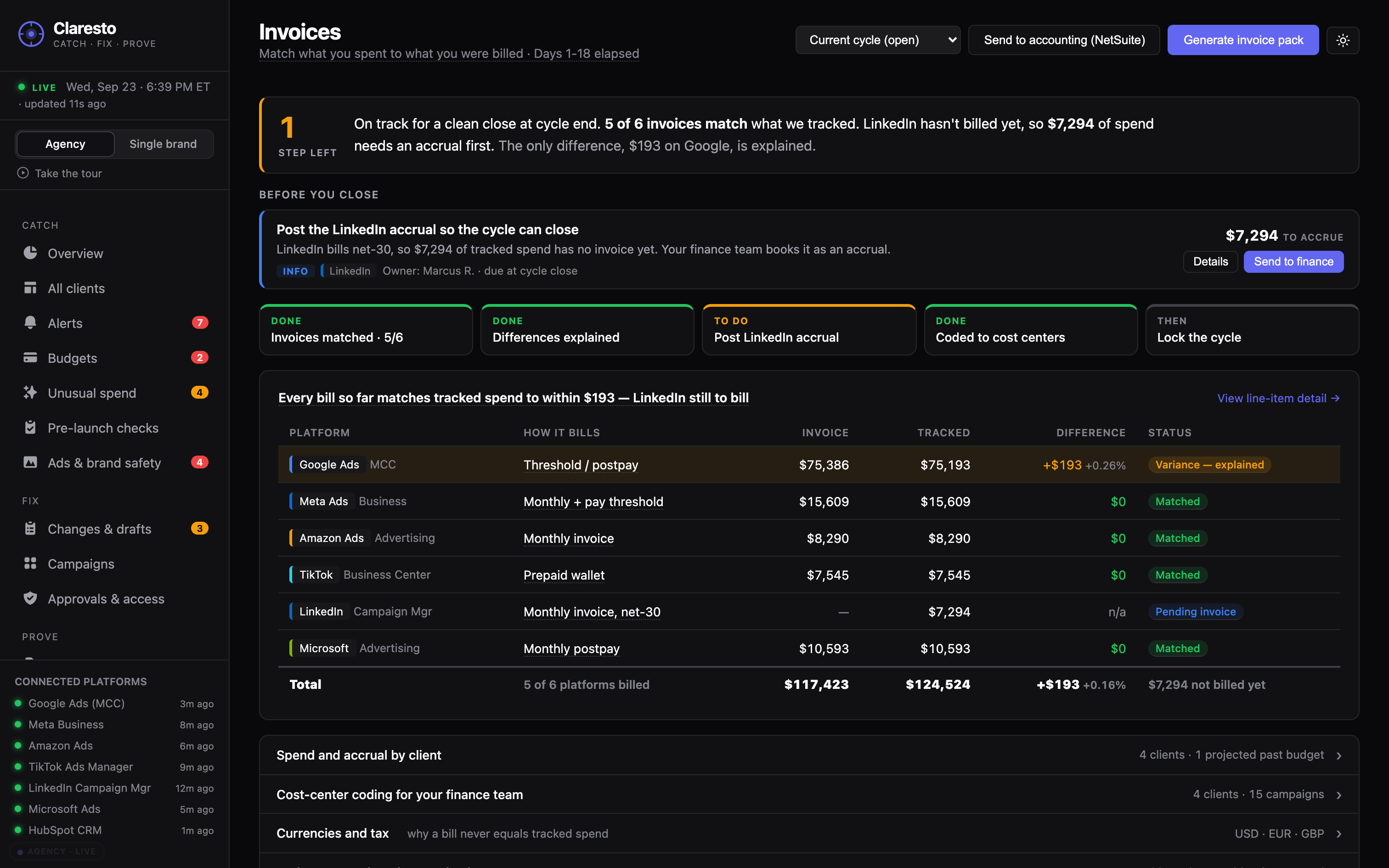
InvoicesAgency plan

Matches spend to invoices, platform by platform, and flags the ones that don’t match. For your finance team: spend coded to cost centers, with month-end accruals, ready to export.

Example: Microsoft billed $4,212 for August. The accounts show $3,980 spent. Flagged for review.

Invoices
Claresto Invoices — spend matched to invoices, platform by platform
Money saved

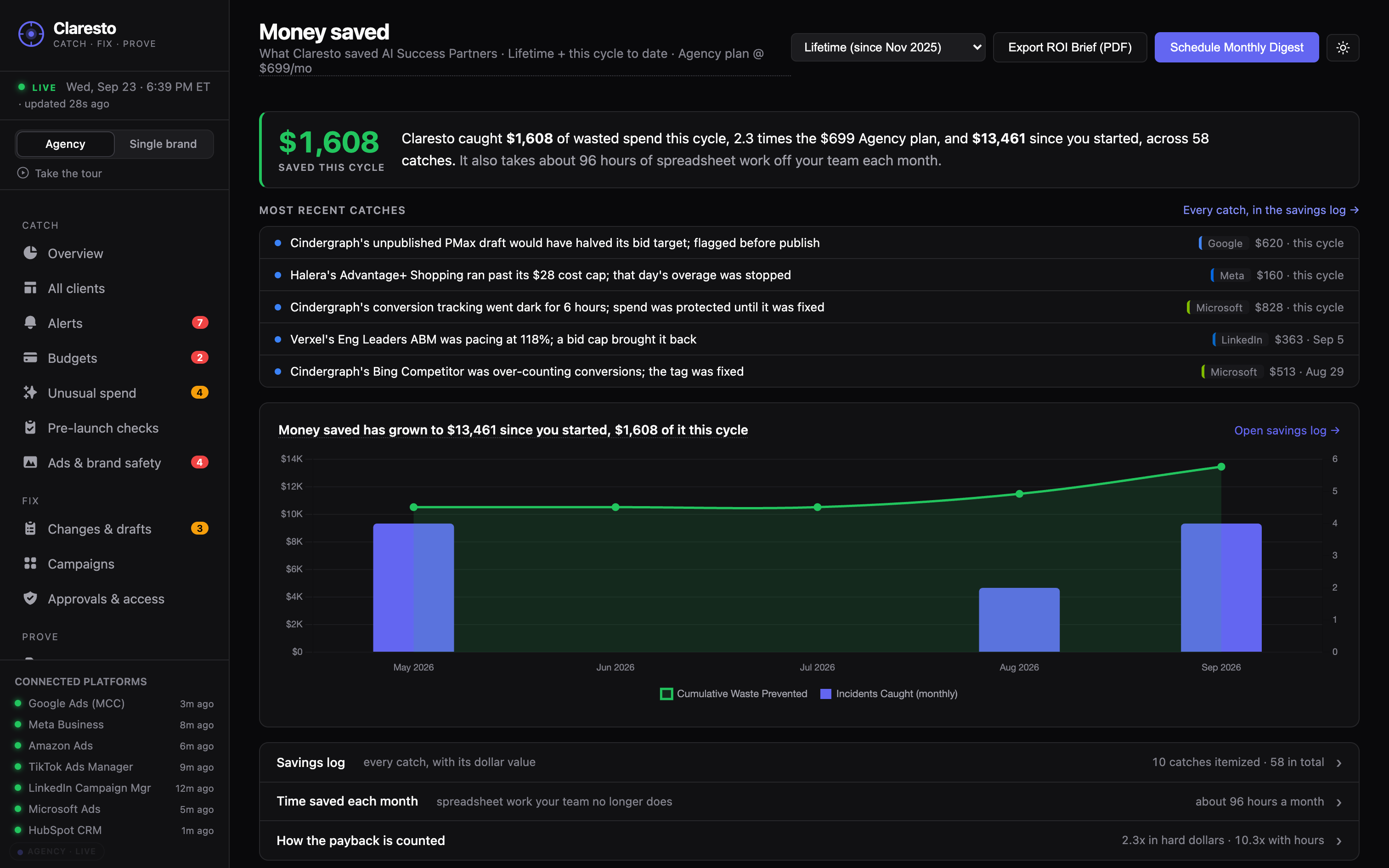
A running total of what Claresto caught and what it saved.

Example: This month, per client: the unpublished draft, the campaign past its cap, the broken tag — and the spend each one would have wasted.This month: the unpublished draft, the campaign past its cap, the broken tag — and the spend each one would have wasted.

Money saved
Claresto Money saved — a running total of what was caught and what it saved
Client viewAgency plan

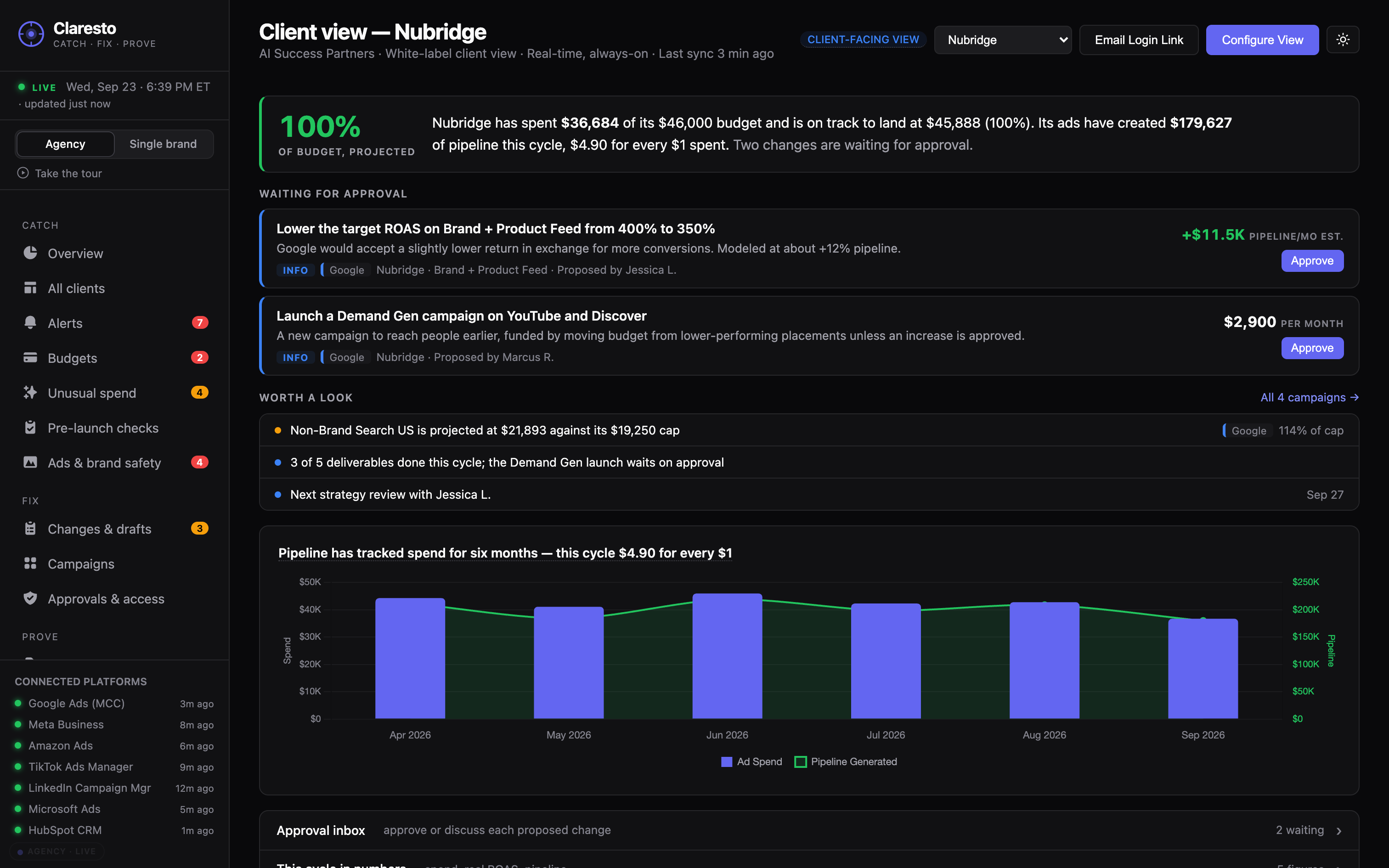
A live view each client can open any time: their spend, their pacing, and what you caught for them.

Example: A client checks pacing on a Tuesday instead of waiting for the monthly PDF.

Client view
Claresto Client view — a live, read-only view for each client
How we compare

What other tools leave to you.

Bid tools tune campaigns that are already running. Dashboards show the numbers after the fact. Here is what happens to the everyday mistakes.

The mistakeClarestoAd platforms’ own toolsReporting dashboards
A budget change saved but never publishedFlagged within minutesVisible only inside that platform’s draftsNot shown
A campaign past its budget capAlert, across all six platformsOne platform at a timeSeen after the money is spent
A broken tracking tagAlert, plus a check before launchDiagnostics per platformShows up as a drop in conversions
An invoice that doesn’t match the spendMatched line by line——
Who changed whatOne log across all six platformsSeparate history in each platform—
Fixing the problemOne click, after your approvalBy hand, platform by platform—
Your ad accounts

What Claresto does to your ad accounts

Claresto reads your ad accounts. It never changes anything on its own — a fix goes live only after someone on your team clicks Approve, and every change is logged.

How access and approvals work

See every screen running on a 14-client agency.See every screen running on a single brand.

The live demo needs no setup.